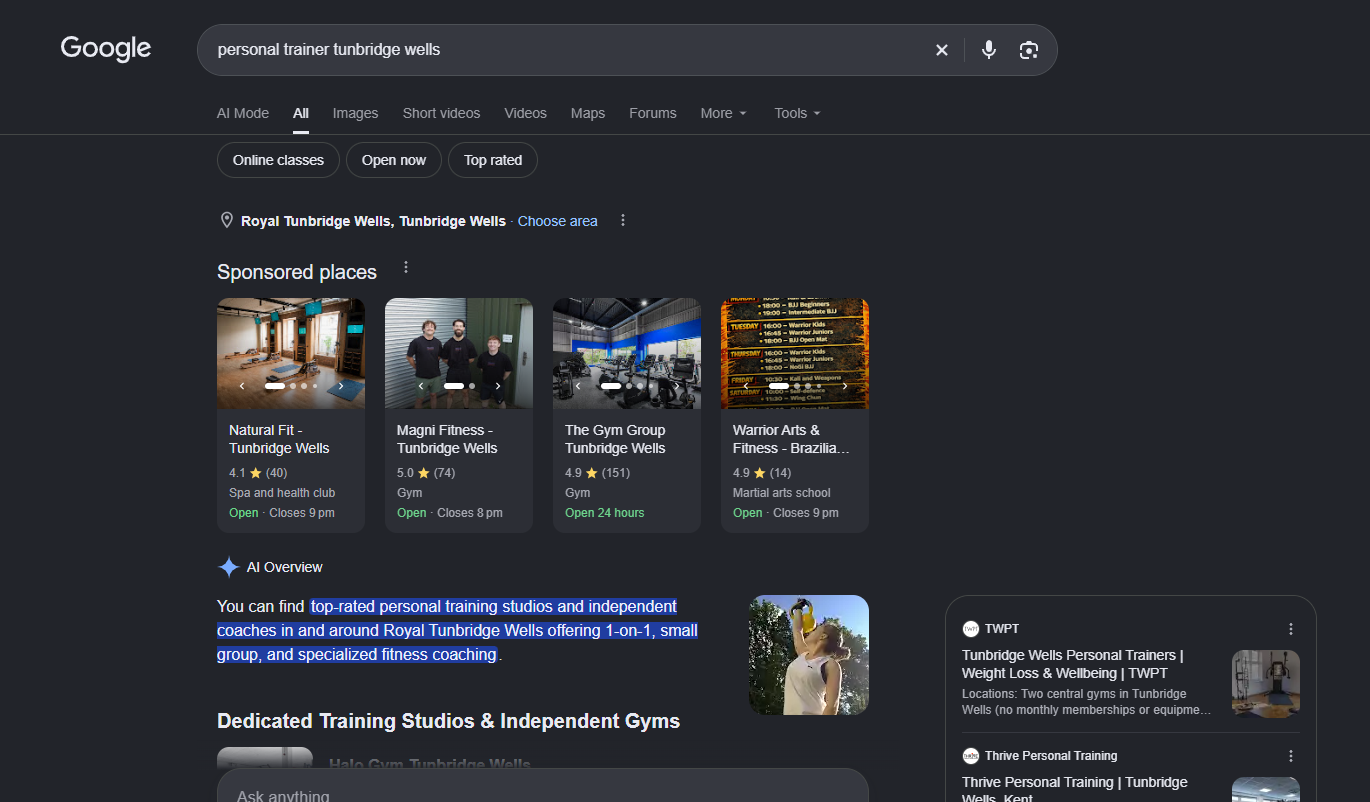
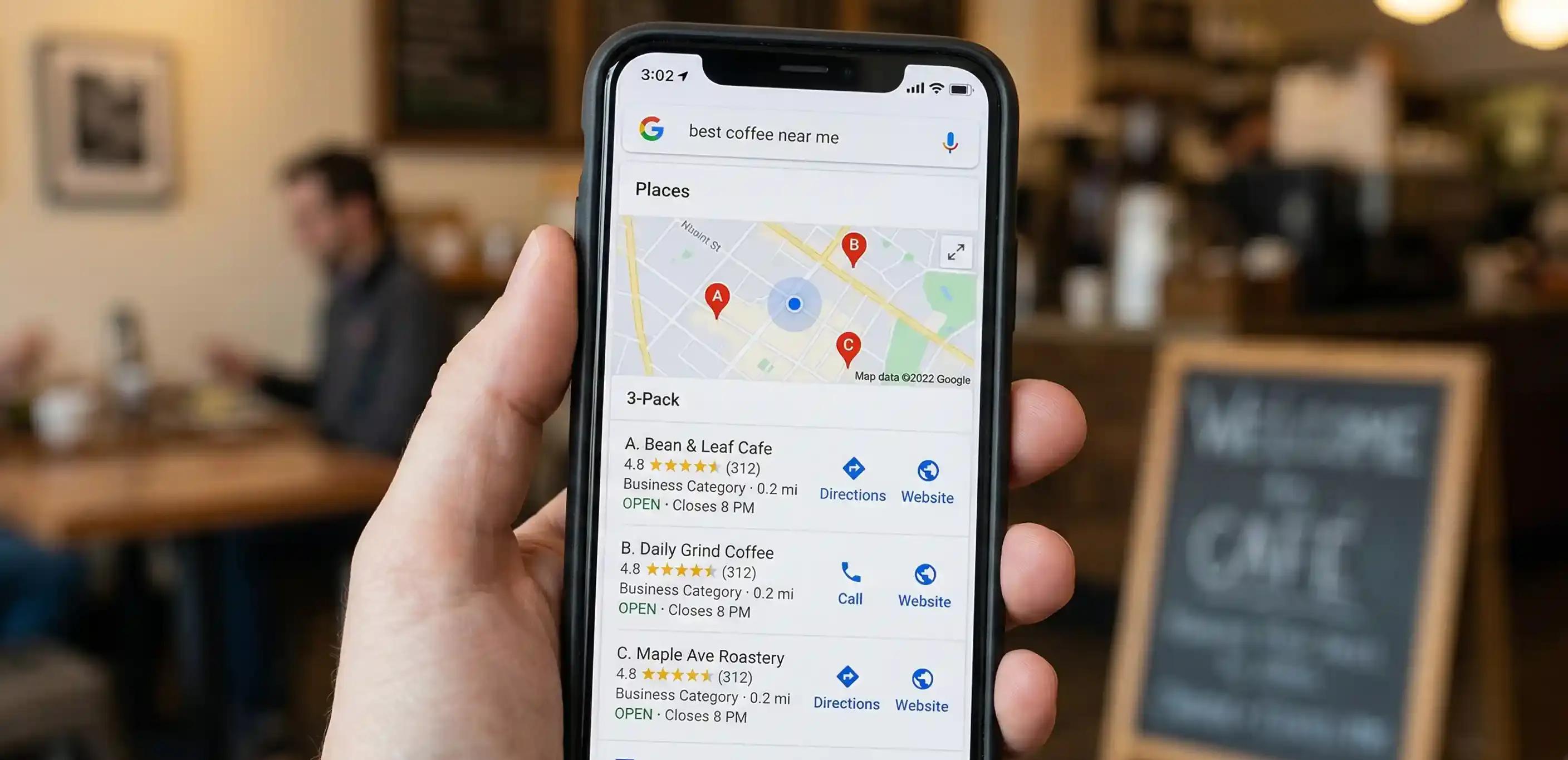
Imagine someone in Tunbridge Wells picks up their phone and searches for "personal trainer near me", "best hair salon Tunbridge Wells" or "electrician in Tunbridge Wells".
Google shows them a map with several local businesses.
Is yours one of them?
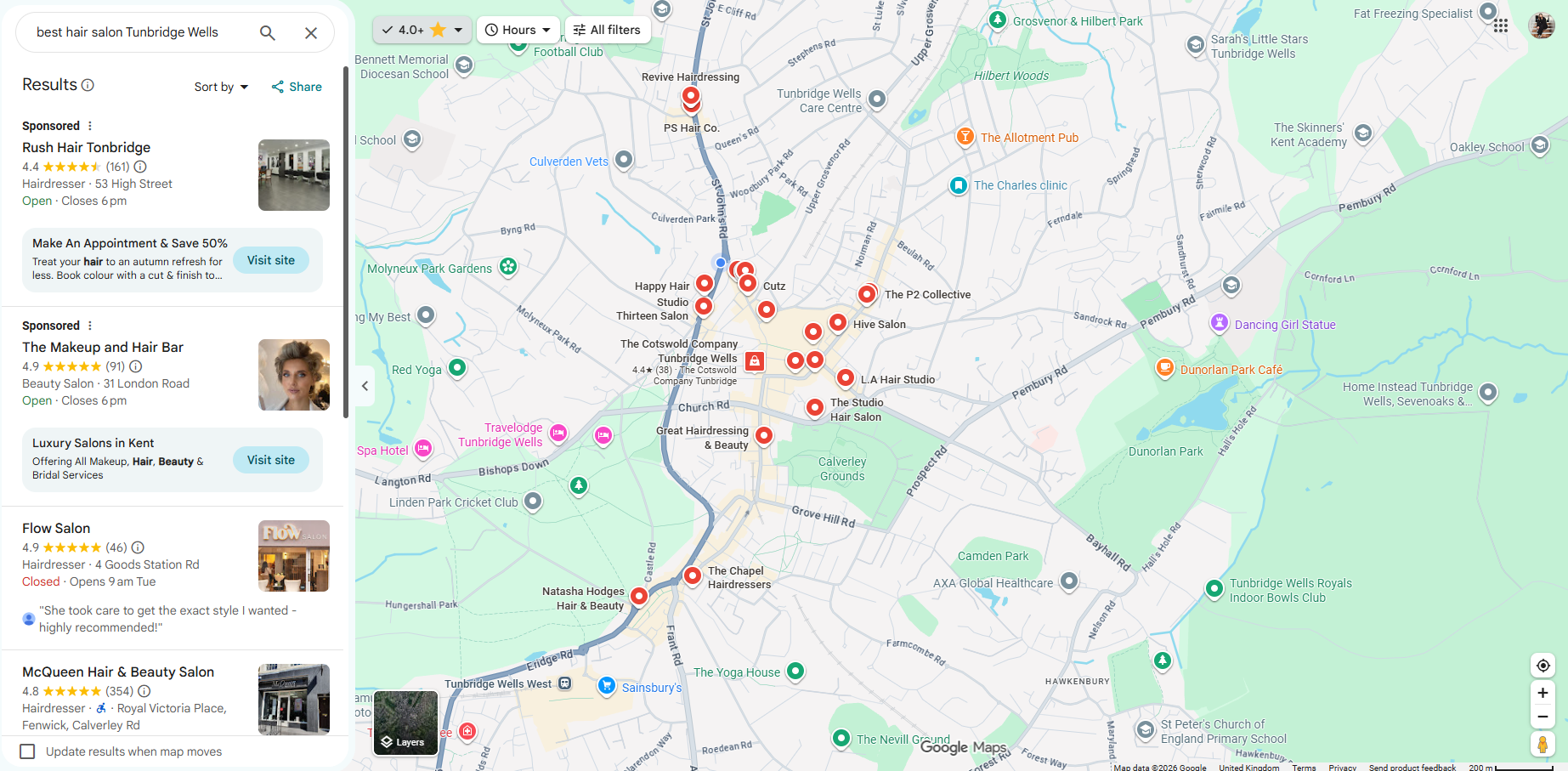
If not, you could be missing opportunities to attract customers who are actively looking for the services you offer.
One of the questions I hear from local business owners is:
"How do I get my business to appear higher on Google Maps?"
The good news is that you can improve your visibility without spending money on Google Ads.
Let's look at how Google Maps rankings work and what you can do to increase your business's chances of being discovered.
Why is ranking on Google Maps important?
When someone searches for a local service, Google often displays a map alongside a selection of relevant businesses. This is commonly called the Google Local Pack.
For example, someone searching for "beauty clinic Tunbridge Wells" might see several businesses with their ratings, locations, contact details and website links.
Appearing in these results can help your business:
- Get discovered by more local customers.
- Generate more phone calls and enquiries.
- Increase website visits.
- Encourage appointment bookings.
- Bring more customers into your physical location.
- Build trust through customer reviews.
And importantly, these searches often come from people who already know what they want.
Someone searching for "BJJ classes Tunbridge Wells" is potentially much closer to booking a trial than someone casually browsing jiu jitsu content.
That's why local SEO and Google Maps optimisation are particularly valuable for service-based businesses.
How does Google decide which businesses appear first?
Google states that local rankings are mainly influenced by three factors.
1. Relevance
How closely your business matches what someone is searching for.
2. Distance
How far your business is from the person searching, or the location specified in their search.
3. Prominence
How well-known and established your business appears to be, based on signals including reviews, links and information available online.
You can influence relevance and prominence through good optimisation, but you can't control where every potential customer is searching from.
This is why Google Maps rankings can vary from one location to another.
Now, let's look at what you can actually improve.
Step 1: Claim and optimise your Google Business Profile
Your Google Business Profile is one of the most important starting points for local SEO.
It's the listing that can display your business on Google Maps and within Google Search.
If you haven't already claimed and verified your profile, start there.
Then check that your information is complete and accurate.
Make sure you've included:
- Your real business name.
- Your correct address or service area.
- Your phone number.
- Your website address.
- Your opening hours.
- Your main business category.
- Relevant services.
- A useful business description.
My tip: Don't just create your Google Business Profile and forget about it. Review it regularly, especially when your services or opening hours change for example for Christmas
Step 2. Choose the right business category
Google uses your business categories to understand what your business actually does.
For example, if you run a personal training business, choosing a relevant personal training category will help Google understand your core service.
If you also provide fitness classes, additional categories may be appropriate, provided they genuinely describe your business.
The important thing is to be specific and accurate.
Don't select categories simply because they seem popular as you will get the wrong customers walking-in. Your primary category should represent what your business is, not every possible service you could offer.
Step 3. Add your services to your Google Business Profile
This is something many businesses overlook.
If you're a beauty clinic offering laser hair removal, facials and skin treatments, make sure your relevant services are listed.
The same applies to plumbers, electricians, landscapers, accountants and personal trainers.
For example, a local marketing consultancy might offer:
- Search engine optimisation.
- Google Ads management.
- Facebook and Instagram advertising.
- Website design.
- Conversion rate optimisation.
Adding accurate service information helps customers understand what you do and provides Google with more context about your business.
Where appropriate, use clear service descriptions that explain what customers can expect.
Step 4. Get more genuine Google reviews
Think about the last time you searched for a restaurant, hairdresser or local service.
Did you look at the reviews? Don't worry most of us do.
Google reviews help potential customers decide whether to trust your business, and Google confirms that review quantity and positive ratings can contribute to local rankings.
Here are a few ways to encourage reviews:
- Ask customers after they've had a positive experience.
- Send a follow-up message with your review link.
- Include a review request in your customer communications.
- Respond professionally to both positive and negative reviews.
My tip: Make leaving a review easy. The fewer steps your customers need to take, the better.
Never buy fake reviews, offer incentives in exchange for reviews or selectively ask only customers who you think will leave five stars.
Step 5. Add real photos of your business
Your Google Business Profile isn't just a directory listing.
It's an opportunity to show potential customers what your business is really like.
For a gym, that might mean photographs of your facilities, instructors and classes.
For a beauty clinic, it might mean treatment rooms, equipment and your team.
For a landscaping company, before-and-after photographs of genuine projects can be particularly useful.
Use clear, authentic photographs that represent what customers can expect.
Photos can make your profile more informative and appealing, even though Google doesn't promise a specific ranking boost from uploading them.
Step 6. Optimise your website for Tunbridge Wells searches
Your Google Maps visibility doesn't exist in isolation from your website.
Google also considers information available about your business across the web.
If you want to attract customers in Tunbridge Wells, your website should make it clear what you offer and where you are e.g. operate.
Let's say you're a personal trainer based in Tunbridge Wells.
Instead of having a generic page called "Personal Training", you could create a useful, detailed service page targeting:
Personal Training in Tunbridge Wells
That page could include:
- The services you offer.
- Who your training is designed for.
- Where sessions take place.
- Your qualifications and experience.
- Testimonials from genuine clients.
- Prices or package information.
- Clear enquiry buttons.
You can also naturally reference relevant nearby locations, such as Southborough, Tonbridge and Sevenoaks, where you genuinely provide services.
Avoid creating dozens of nearly identical location pages just to insert different town names.
Your content needs to be genuinely useful.
Step 7. Make sure your business information is consistent
Imagine your website displays one phone number, your Google Business Profile another and an online directory lists an old address.
That creates confusion for everyone including your customers.
Check that your key business information is correct across your website, Google Business Profile and reputable online listings.
This includes your business name, address where publicly applicable, telephone number and website URL.
If you've recently moved premises or changed telephone numbers, update your listings.
Consistency supports customer trust and helps avoid conflicting information online.
Step 8. Build your local online presence
Local SEO isn't just about your own website.
Mentions and links from relevant, reputable websites can support your business's online authority.
For a Tunbridge Wells business, opportunities might include:
- Genuine local business directories.
- Local community organisations.
- Relevant industry associations.
- Partnerships with other local businesses.
- Local publications covering something newsworthy about your business.
For example, if your business sponsors a local sports team or participates in a community initiative, a genuine mention on an appropriate website could be valuable.
Focus on relevant relationships and quality rather than buying hundreds of low-quality backlinks.
Step 9. Keep your profile useful and up to date
Your Google Business Profile should reflect what's actually happening in your business.
If you've launched a new service, updated your opening hours or introduced new products, keep the profile accurate.
Depending on your business, you can also share relevant updates, offers or events using Google Business Profile posts.
These posts can help customers discover what's new.
However, publishing posts every day isn't a guaranteed Google Maps ranking strategy.
Prioritise information that's genuinely useful to potential customers.
Step 10. Track whether your Google Maps optimisation is working
This is where my analytics background comes in.
Getting more visibility is great.
But is that visibility actually generating business?
Google Business Profile performance data can help you understand how people interact with your listing.
Depending on your profile and available reporting, you may be able to monitor:
- Searches through which customers discover your business.
- Phone call interactions.
- Website clicks.
- Direction requests.
- Messages and bookings where supported.
I'd also recommend setting up Google Analytics 4 to measure what happens after someone visits your website and link this to your GA4 account too.
For example, if your Google Maps visibility improves, are you also seeing more enquiry forms, appointment bookings or phone calls?
That's the information that matters when deciding whether your local SEO efforts are paying off.
How long does it take to rank higher on Google Maps?
There's no timeline.... some changes, such as correcting business information, may be reflected relatively quickly.
Building stronger local visibility in a competitive industry can take considerably longer.
Your results will also depend on factors such as your location, competitors, business relevance and existing online reputation.
It's worth remembering that Google Maps rankings aren't identical for every user which is really confusing...
Someone searching from central Tunbridge Wells could see different businesses from someone searching in Southborough or Pembury.
Can you pay Google to rank higher on Google Maps?
You can advertise through Google Ads, including certain placements associated with Maps.
However, you cannot pay Google to improve your organic local ranking.
Sponsored advertising and organic Google Maps visibility are different.
A well-planned strategy might use both, but a successful local SEO campaign should concentrate on improving your genuine business presence.
Frequently asked questions
Why isn't my business appearing on Google Maps?
Your business might not be verified, your profile may have incomplete information, or Google might not consider it sufficiently relevant to the search.
It could also be a question of proximity or competition.
Start by checking your Google Business Profile status, category, services and business information.
Is Google Business Profile free?
Yes. Creating and managing an eligible Google Business Profile is free.
You don't need to pay a third party simply to have a listing.
Professional optimisation is an optional service that can help you improve and maintain your profile.
Do Google reviews help you rank higher?
Google confirms that more reviews and positive ratings can help your local ranking.
However, reviews are only one factor, alongside relevance, distance and prominence.
Do I need a website to rank on Google Maps?
You don't necessarily need a website to have an eligible Google Business Profile.
However, a useful website can support your online presence, provide more information about your services and help convert visitors into customers.
Can I rank in Tunbridge Wells if my business is based somewhere else?
It's possible to appear in relevant searches outside your immediate location, but distance remains an important ranking factor.
Adding Tunbridge Wells to your service area doesn't guarantee that you'll rank prominently there.
Your business information must accurately reflect where you genuinely operate.
Need help getting your business found on Google Maps in Tunbridge Wells?
I'm Freya, founder of Digital AdDoctor, a digital marketing consultancy helping businesses in Tunbridge Wells, Kent and beyond get more from their online presence.
With over 18 years of digital marketing experience, I look beyond just rankings.
I want to know whether your marketing is generating enquiries, customers and measurable results.
Whether you need help optimising your Google Business Profile, improving your local SEO or understanding why your competitors appear above you, I can help.
Google Maps and Google Business Profile optimisation starts from £150 per month.
If your business isn't appearing where you'd like it to, let's find out why.
Ready to take the next step?